Changelog

Follow new updates and improvements to Siteglide.

January 12th, 2026

New

Happy New Year! We hope you all enjoyed the holidays, we’re looking forward to making 2026 a big year for everyone using Siteglide!

We have been working on some big new features for Studio that will help Theme developers and anyone build sections have far more control over reusable code while keeping everything simple and easy to use from an editor’s perspective; introducing Global Fields and Global Snippets.

Global Fields

Create and insert global fields that can be used across a Theme in Studio without affecting the editing experience.

  1. First create the Field in the Theme (the Styling area).

  2. Then ‘Add Global Field’ (green button) in a Section and use the copy icon to insert the tag into the section layout.

  3. Finally go to the section in Studio and edit the field content (it’ll just look like a normal field from an editing perspective).

Global Snippets

Create snippets that can be used across sections to make Theme management simpler and more powerful without affecting the editing experience.

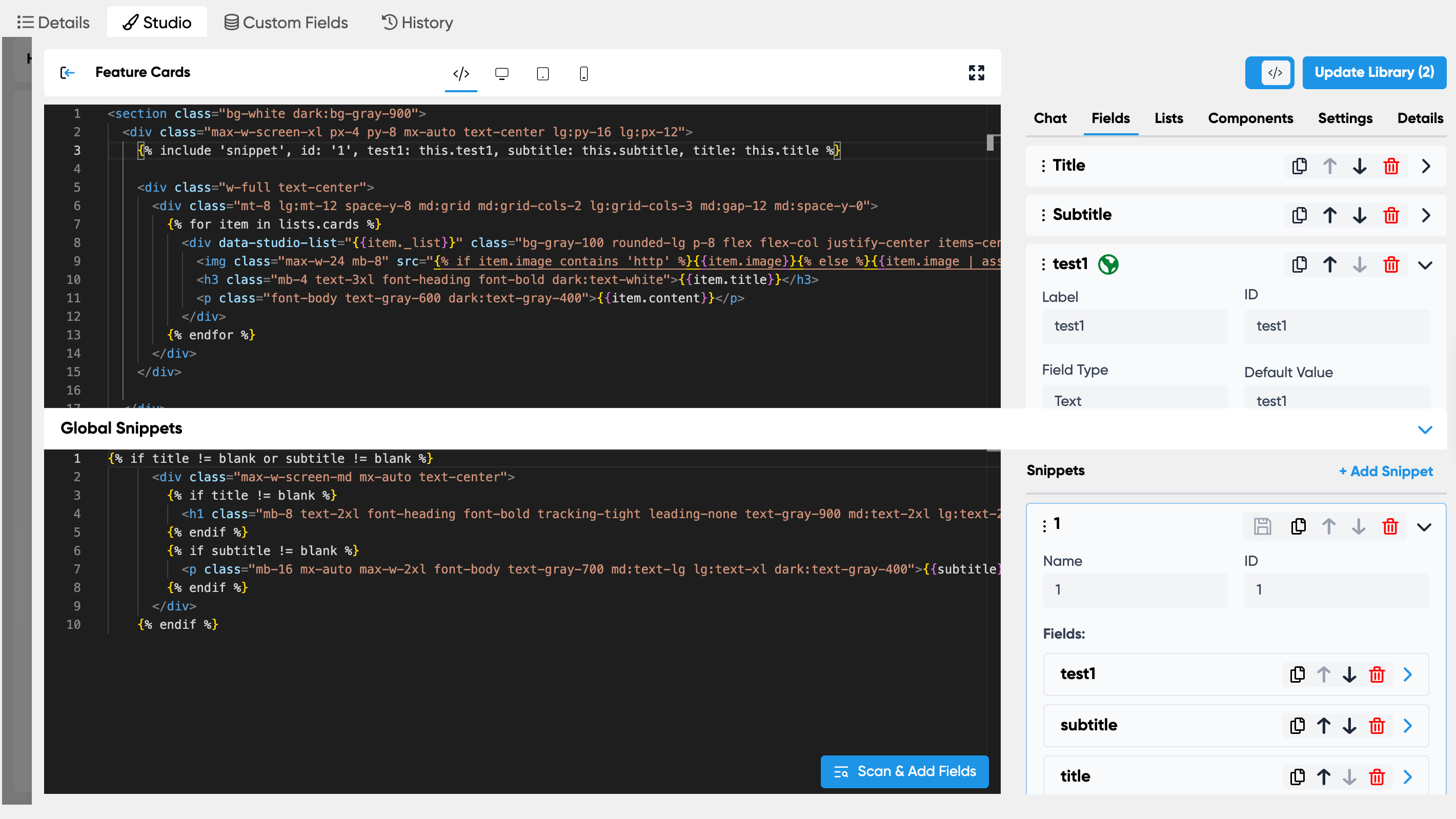
  1. First open the new Global Snippets area from the bottom of the edit Section modal.

  2. Section the code you want to convert to a Snippet and right click, click ‘Add as a Snippet’.

  3. It will then create the snippet, all the field and insert in place of the selected code. You can then edit the Snippet as needed and save using the Save icon (it’ll turn blue if there are unsaved changes).

November 18th, 2025

New

We're pleased to announce the expansion of the Oracle (OCI) and Cloudflare stack implementation across all stacks: Europe (launched April 2025), Americas, Asia Pacific and Staging.

All new sites will now use OCI, any existing live sites will remain on AWS and are unaffected although we recommend migrating to the new stack in the coming weeks/months.

No action required and no change to existing sites.

Oracle+Cloudflare (OCI) Stack Updates

Staging Environment for OCI Stack

  • Introducing the Staging OCI stack.

  • All trial sites will now be created using the OCI Staging stack.

Americas/US OCI Stack Launch

  • Introducing the Americas/US region OCI stack.

  • Available when going live with a Staging site.

Asia/AU OCI Stack Launch

  • Introducing the Asia Pacific/AU region OCI stack.

  • Available when going live with a Staging site.

Migrating from AWS to OCI

You will now see a ‘Migrate’ tab when viewing a specific AWS site in Portal.

You can also copy any site to a Staging site on OCI first using the ‘Copies’ tab. This is a good idea for large sites or just to check it over prior to doing the actual migration.

Detailed migration Docs to follow.

November 4th, 2025

Improved

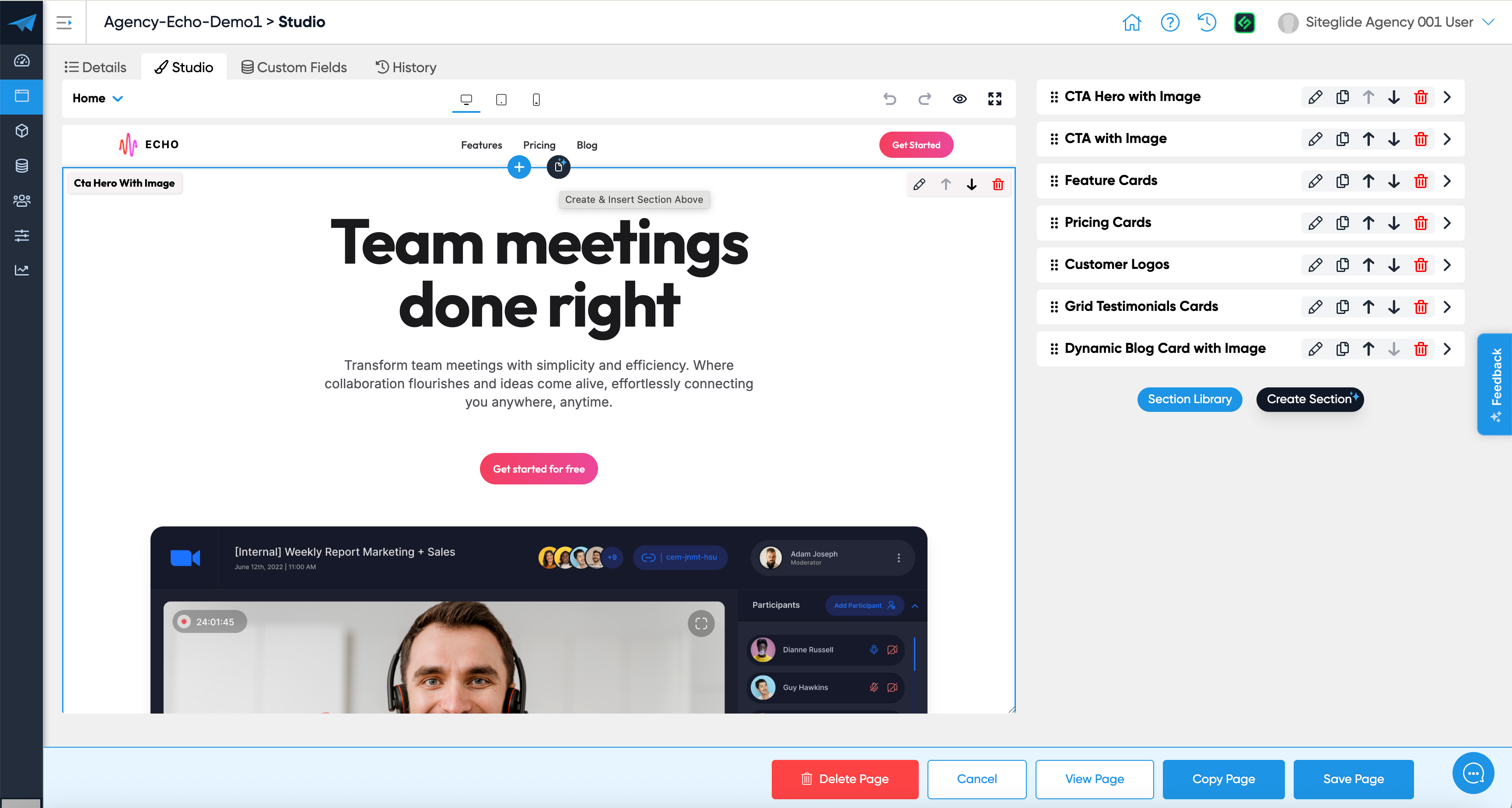
We're excited to unveil significant improvements to Studio, focusing on revolutionising Section Management alongside general enhancements.

Video overview

Key Updates

Streamlined Section Management

  • Create vs Insert Separation: Introduced distinct workflows for creating new sections and inserting existing ones from the library, enhancing user efficiency.

  • "New Section" now opens the AI builder by default with ease to toggle modes.

  • "From Library" provides intuitive navigation through themes and a comprehensive search.

  • Enhanced Section Awareness: Visual cues notifying users about existing section usage, with options to detach/copy or update changes.

  • Naming Assistance Upgrades: AI suggestions for section names and categories contextualised, while maintaining user-configured preferences.

Improved Pagination Settings

  • Pagination for sections now defaults to 50, reducing disruptions in finding desired sections.

Remove Drag and Drop from card contents in Section Builder

  • You can now select text and drag inside cards without it trying to select the whole card and drag it elsewhere.

General Fixes

  • The Preview area in Studio now accurately scrolls to the right location after insert/edit/delete actions.

  • The copy section button now adds another version of that section into the page rather than copying the section itself.

Studio's usability receives a serious upgrade with these changes, making Section management more straightforward than ever. We can't wait to hear your feedback. Enjoy crafting with Siteglide!

October 22nd, 2025

Improved

This release includes the ability to use Components within Lists in Studio and some general improvements.

Components within Lists

If you’re new to components they allow you to define the structure of something specific and let users include them into designated areas in a Section.

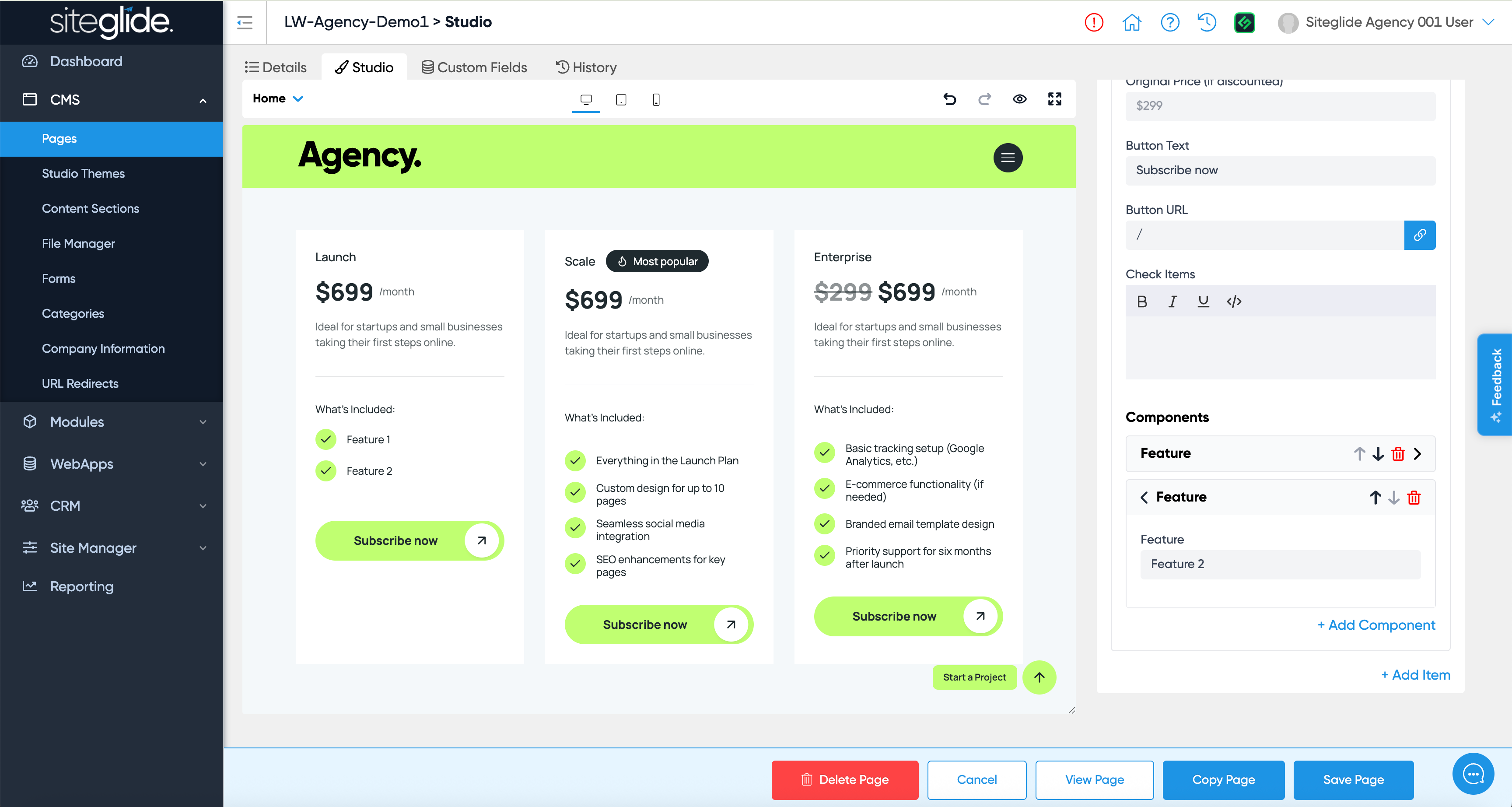
Until now Components were only available on Fields in Studio but you can now add them to Lists. This is really powerful for effectively adding Lists within Lists, a good example would be a list of features on a Pricing card, you might have 3 different pricing plans (List items) and need to add a list of features to each card like this:

October 9th, 2025

New

Improved

Fixed

We're excited to introduce Studio v1.7.0, offering better functionality and usability, as well our first Bootstrap 5 template for Studio, called ‘Agency’ and last but not least, a core Siteglide update: Custom Fields on Company Information.

Summary Video

NOTE: We’ve already improved the UX for the Save Structure button on Company Information Custom Fields, it’s now in the bottom bar so ignore that part of the recording!

New Features

Company Information Custom Fields

Expanded support for custom fields in company information making it even easier to have global site content you can update in one place.

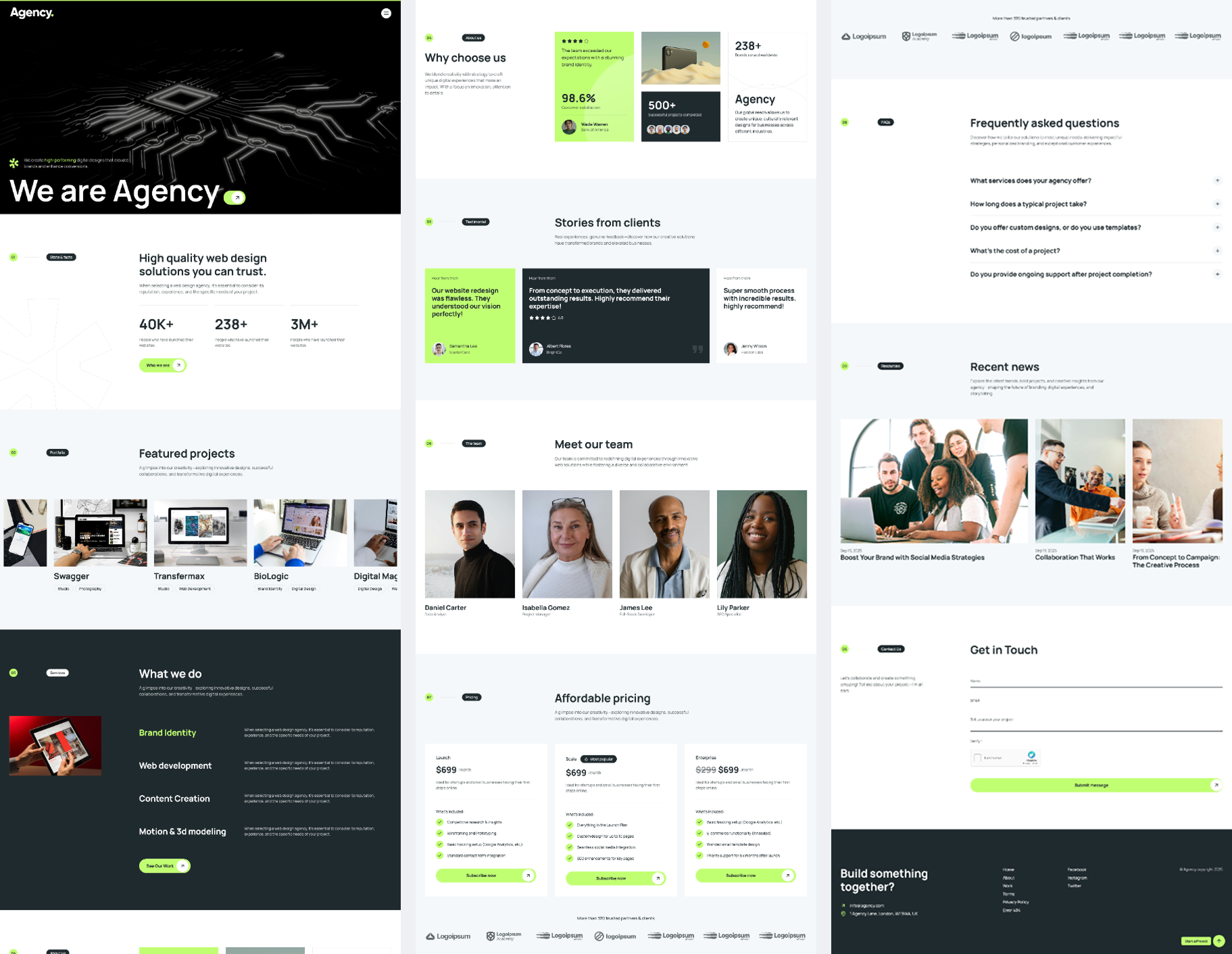
First Bootstrap 5 Template: Agency

For those who prefer Bootstrap to Tailwind this is our first Studio Bootstrap template and it’s ideal for renewing your Agency website or could be used for various client projects.

It’s available in the Siteglide Marketplace as a Site Template (you get a fully copy of the whole site) as well as a Studio Theme you can install to any site that has Studio installed.

The site template is fully baked into Studio and Siteglide which saves a huge amount of time when setting up a new site. You’ll find it all hooked up with a Projects WebApp, Blog, Testimonials, FAQs, a Contact Form and more.

With Bootstrap templates we can’t control the styling as well as we can with Tailwind so in the Styling UI you can edit colours in the CustomCSS. This is something you likely do once though and doesn’t require client friendly controls.

Give it a try: https://admin.siteglide.com/#/portal/community/marketplace?module_id=952574

Enhancements

List Builder UI Redesign

  • Integration of the accordion design from Pages into Section Builder.

  • Improved navigation and readability during list customisation.

Use Categories as a Mapping Source for Dynamic Content

  • You can now select Categories as your source for dynamic content on a Studio Layout

  • This has many different use cases e.g. List Product Catalogs in a Section.

Bug Fixes

Preview and Navigation Fixes

  • Resolved issue with fields not displaying in preview mode.

  • Prevented clickable links in the Studio Preview area to ensure Studio navigation consistency.

Filtering and Category Improvements

  • Addressed a bug with categories filter.

  • Corrected the issue with insert section categories not reopening after the initial attempt.

Browser Styling Consistency

  • Implemented fixes for Firefox-specific styling issues in Studio themes page and RTE boxes.

Want to get started with these updates?

We value your feedback for continuous improvement, please reach out in Discord, via Live Chat or by submitting feature requests on the Roadmap.

September 30th, 2025

Improved

We’re pleased to announce some really useful updates including being able to control Page level access (who can see specific pages), big improvements to Categories and lots of Studio updates in v1.6!

Page level Admin User Role Permissions

You can now control who can see which pages either with some default settings or granular per-page control.

In Portal on the Configuration tab for each site you can now set Default User Roles for Pages:

This is useful if by default you want all pages to only be visible to certain roles.

You can also set or override this at a Page level giving you total granular control:

You might have some pages that have complex code or that you just don’t want certain users to edit. You can now control this as required.

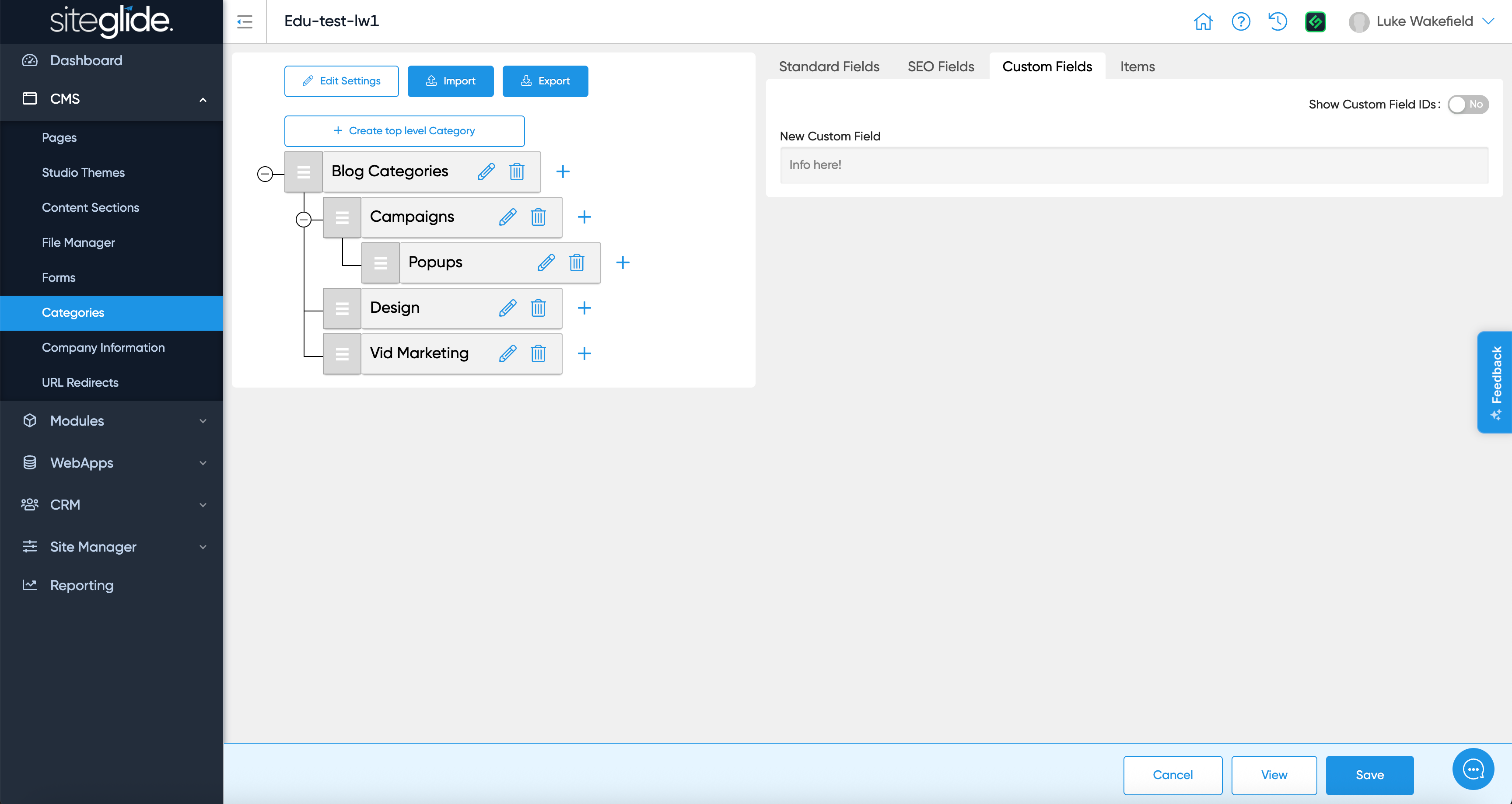
Categories - Custom Fields

Custom Fields have proved extremely powerful in various areas of Siteglide, we’re pleased to bring this to Categories. This opens up opportunities to use Categories as part of a complex/bespoke site setup.

Categories - Drag & Drop Organisation

Another important feature that makes categories even more useful day to day: The ability to re-order items using drag and drop functionality. You have total control to re-order items across the various levels of hierarchy.

Studio v1.6

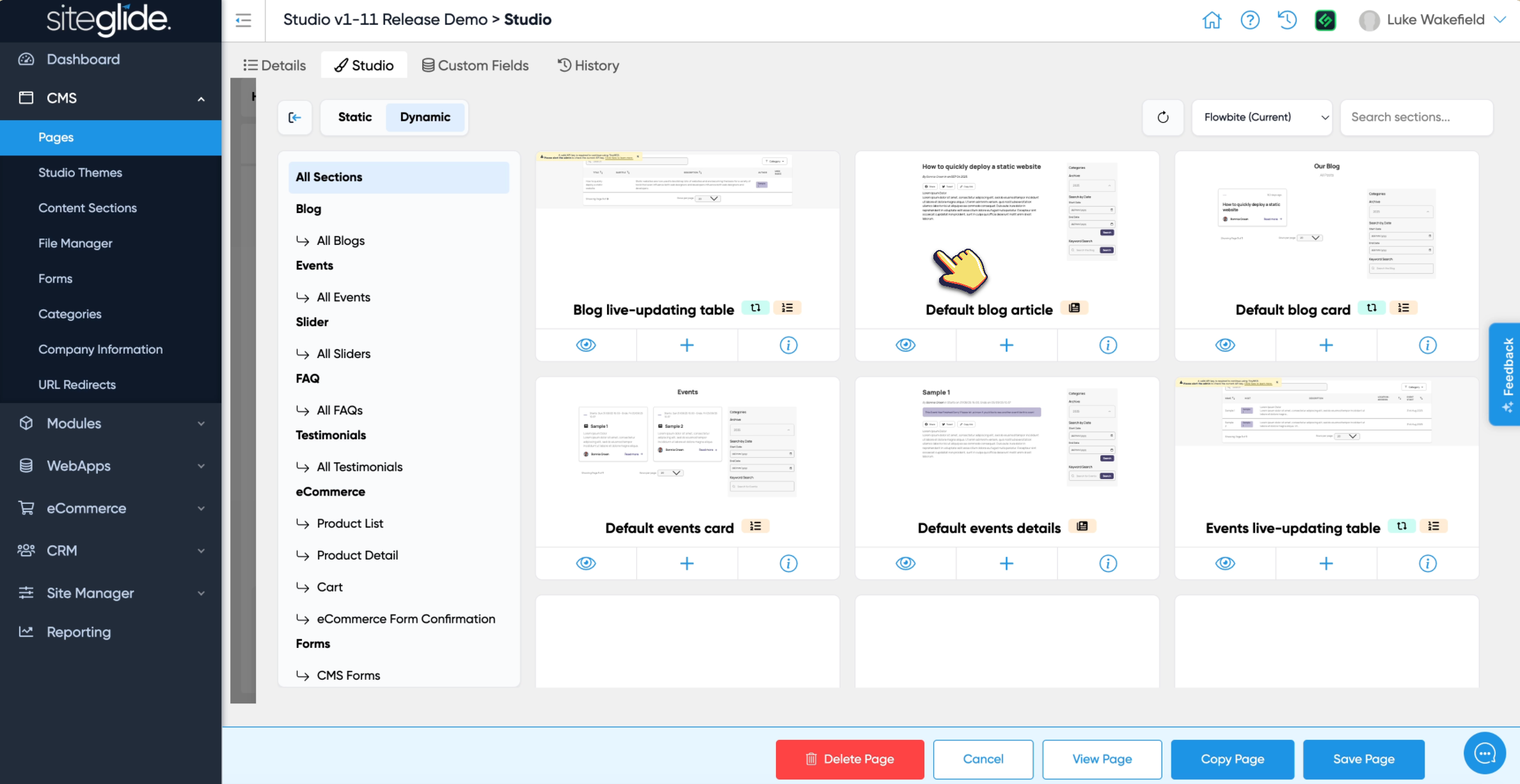
This release has some small but important improvements on our official launch of Studio (as it’s no longer in Beta) but also the first phase of Dynamic Layouts for Studio! Let’s take a look:

Dynamic Layouts for Studio

This is just the first phase of Dynamic Layouts, we focused on being able to insert compatible Layouts and interact with them in Studio. The next phase is to be able to create/install them, currently this would still be done via SiteBuilder.

With this first release you can insert any installed layouts:

Improved Studio Implementation of Cloudflare Images

You can now select a specific size to insert into layouts into Section Builder:

In the above example this would insert the following tag:

{% include 'img', path: item.image, width: 800, layout: 'default/base' %}

Filter by Category in Mapping UI

You can now filter by category when using dynamic content with a Static Studio Layout:

This allows you to dynamically control the content that appears based on categorisation.

Image selector button for Section Builder

Minor but handy, you can now select images in Section Builder as well as in Pages:

Adding an item to a list should take you to the item

It’s now much clearer when you add an item to a list as it’ll load the new item. A simple but important UX improvement.

Option to use 'Item 1 etc' for List names

Sometimes a List doesn’t have a field that would have a friendly name to use in the List of items, in this case you can now simply not select a field and it’ll show ‘Item {{number}}’.


We have some big new features coming to Studio for the next release, please do give us feedback and add any feature request ideas.
September 11th, 2025

Improved

We’re pleased to announce Studio is no longer in Beta!

Not only that but as part of the full v1.5 release there’s now a Themes Marketplace to dramatically speed up development across sites.

This release also includes some important improvements to Studio and and a highly voted feature for Siteglide: Field Tooltips!

Studio v1.5 Official Launch (no longer in Beta)

Studio is no longer in Beta! Now is a great time to start using Studio for projects!

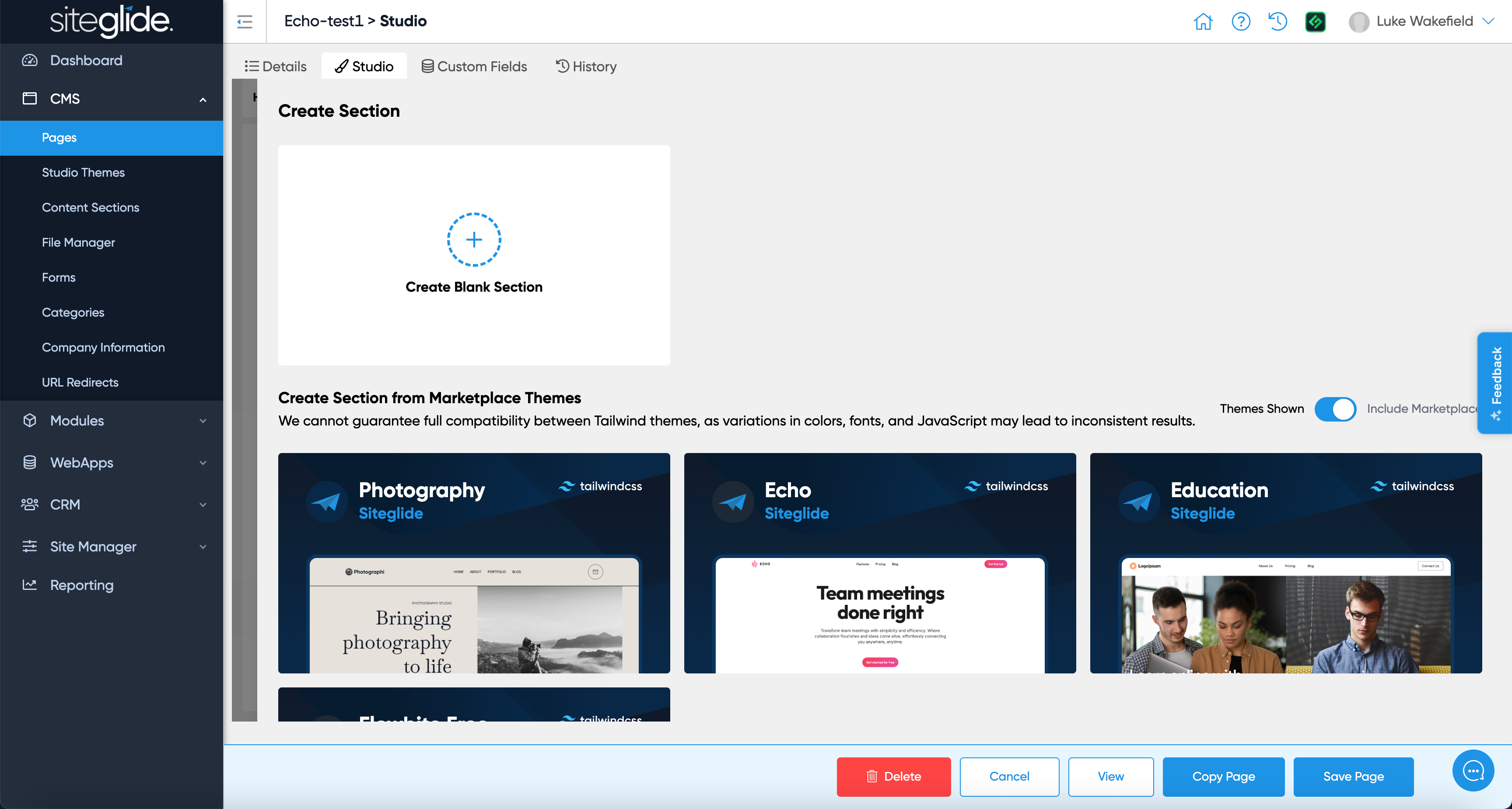
The main reason Studio was still in Beta in v1.4 was there was no real way to manage Themes. As part of v1.5 we’ve released the Themes Marketplace with 4 Themes and Site Templates - there are also many more to come!

Theme Marketplace

The Theme Marketplace is a vital component in making Studio a tool that saves you time when building websites and applications. Browse the growing library of Themes and Templates that are baked into Siteglide and Studio.

Theme Marketplace features:

  1. Install a Theme - You can install themes from the Marketplace, a Template will also be created and you’re able to then create Pages specific to that Template and Theme.

  2. Create Section from Marketplace Theme - You can now create a new Section from any compatible Marketplace Themes (Tailwind only). For example if a Theme is based on Flowbite you can then install any Flowbite Section and customise it to suit your Theme.

  3. Theme Publisher - If you want to create Themes we have a new UI in Portal to manage Themes including their visibility to others and whether individual Sections can be copied.

  4. 4 Themes available right now - Photography, Education, Flowbite Free and Echo (based on Flowbite Free).

Other features and improvements in v1.5:

  1. Copy Section - You can now copy a Section in Studio, this is useful if you want to have different versions of the same core section and use them throughout the site: https://feedback.siteglide.com/p/copy-a-section

  2. Page URL Selector - You can now browse the list of Pages and insert the URL into any URL field: https://feedback.siteglide.com/p/select-hyperlinks-from-pages

Field Tooltips

Sometimes you want to help customers know what each field is for and how to use it, the new Field Tooltips feature let’s you set this per field: https://feedback.siteglide.com/p/field-tooltips

September 2nd, 2025

New

This is only currently available on the UK (London) Oracle+Cloudflare (OCI) datacenter. We’ll be releasing the US and AU OCI stacks before the end of 2025.

As part of our new Oracle+Cloudflare infrastructure with platformOS we’re pleased to announce the release of native image optimisation baked into Siteglide.

Up until now you would have had to use 3rd party services such as Cloudinary which can achieve great results but requires manual setup and can incur significant additional costs.

Full docs available here:

https://docs.siteglide.com/en/cms/file-manager/optimising-images-natively-with-cloudflare

Reach out to us on Discord to let us know how you’re getting on with this new feature!

August 6th, 2025

New

This is one of the biggest releases we’ve ever done and we believe marks the beginning of a very exciting time for Siteglide, the agencies that build sites with it and also the site owners/customers that manage their websites.

A huge thank you to the whole team, it’s been a monumental lift to coordinate this release and in record time.

Want to give Studio a spin? Start here: Install Studio

Studio

It’s a name many will be familiar with, we’ve had 2 previous attempts at trying to realise the vision we’ve had from the very beginning: to separate content from code in a scalable and flexible way.

This is different, we’ve learned from our mistakes and we’ve gone back to the drawing board to ensure we get it right.

For those that have been using the Alpha version for the last month or two there are some substantial differences now and it’s best not to try and update those versions to the latest version (unless you have a site you intend to put live).

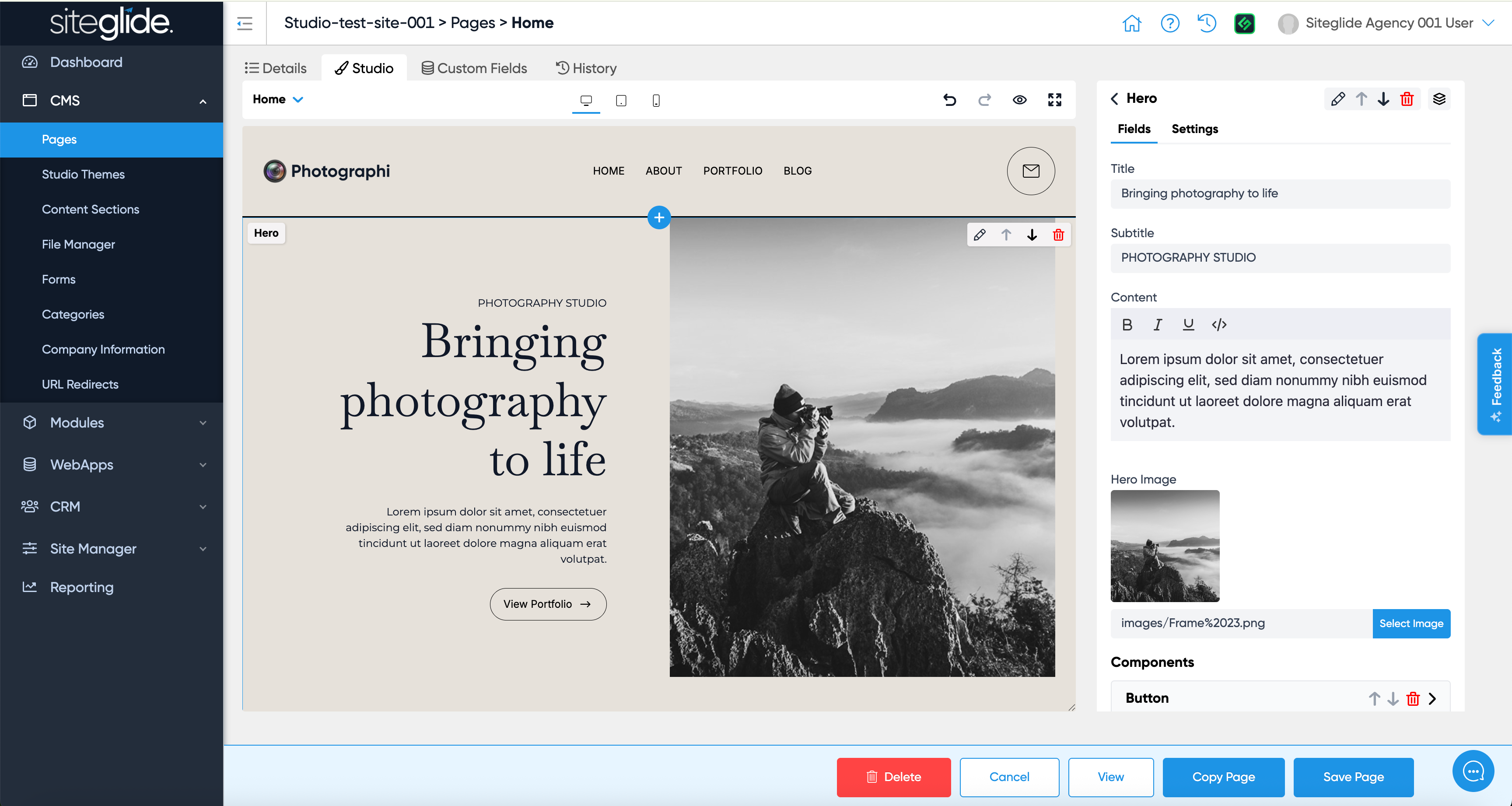
Rather than talking about it we recommend you give it a spin by installing, from the Siteglide Marketplace, our first of many Studio Templates, Photography. You’ll notice Studio now runs on admin.siteglide.com, there’s no need to use the temporary Studio-Alpha URL (this will be deprecated).

Here’s a list of the main changes but there are many more:

  1. Pages are fully integrated with Siteglide (CMS > Pages)

  2. Templates are fully integrated with Siteglide (Site Manager > Templates)

  3. The Studio link is now ‘Studio Themes’ where you only manage the Theme and Sections (CMS > Studio Themes)

  4. You can set User Roles to control what each user type can do (E.g only allow customers to edit content not insert, delete or create sections).

  5. The Section Builder now defaults to AI mode to help you build sections quickly without learning the specific Studio or Siteglide structure.

  6. You can now edit dynamic content (WebApp items, Module items) within the Studio editor itself.

Why is it in Beta?

Technically we could skip ‘Beta’, it’s a self-contained module that has no impact on the rest of Siteglide or your websites but we’re playing it safe and believe that a Beta period will help us focus on feedback and improvements. There are some extra features we’re keen to launch asap and once those are implemented we expect to remove the ‘Beta’ label.

You can use it to build sites right now, in fact, there are sites going live imminently that have been built with Studio. We would just recommend not using it on existing Live Production sites initially, start on Staging and get familiar with it first.

Docs and Guides

We have a new area dedicated to Studio (and SiteBuilder until this is fully migrated into Studio): Studio Introduction

We are trying to get Documentation and Guides ready as quickly as possible but we wanted to let everyone know as soon as it was released especially for those using the Alpha version, now is the time to switch to the latest:

Note: We strongly recommend starting from our Photography Template (instead of installing the module to a blank or existing site).

Install Studio - https://docs.siteglide.com/en/studio-and-sitebuilder/studio-introduction/setup

June 26th, 2025

Improved

As announced previously we have completely overhauled our Public API (V1) to now run locally from each site (V2).

There are some huge benefits to this including performance/reliability but also it now means you will be able to expand the API and build your own endpoints for each site. This is a big step forwards and we have exciting plans for API V2. There are some new endpoints we’ve been wanting to release for a while including a Pages endpoint which opens up lots of possibilities for connecting with 3rd party tools, automating workflows and integrating AI.

We have also updated our Zapier integration to use the new Site API which is firstly aimed to overcome any previous reconnection issues but also leverages the Instant Zaps feature (no more waiting 5-15 minutes with the ‘polling’ method).

The new Site API docs are available here:
https://docs.siteglide.com/en/developer-tools/site-api

We do still have the Portal API endpoints here:
https://api.siteglide.co.uk/docs/

The old (V1) API docs are still available here:
https://api.siteglide.co.uk/v1/docs/

What happens to my existing integrations?

They will continue to work as normal, nothing has changed, the new API is completely separate.

We will be encouraging customers to migrate across to the new API and at some point the old API will be deprecated. We will give significant warning and most importantly be working with you to migrate. This applies to Zapier in exactly the same way.

Zapier V2

The new V2 API version is available right now in Zapier. We recommend migrating to V2 asap as it helps overcome any potential reconnection issues.

When you select Siteglide as a trigger or action it will default to V2 (it will simply show as Siteglide) and if you click the dropdown you will see 1.1.3 (the previous version) is available but we advise against using this as it will be deprecated down the line (there is no reason to use 1.1.3).

Note. As we release updates to V2 you’ll see previous 2.x.x versions appear in the list, we recommend always using the latest version which will show as default without a version number.

Here is a video showing how to migrate Zaps easily to V2, you simply update the Auth (App Connection) and it can update all Zaps that run from the one App Connection (per site):

Youtube link: https://youtu.be/KdLZ-KeB6KA

Instant Zaps Demo

https://youtu.be/WKliXkf5xfk?feature=shared

Feedback/Questions?

As always reach out via Discord or Live Chat if you have any questions or issues. Please feel free to submit feedback requests to the Roadmap so that we can keep improving the product.