November 18th 2026: Studio v2.18 - Studio for WebApp & Module Items
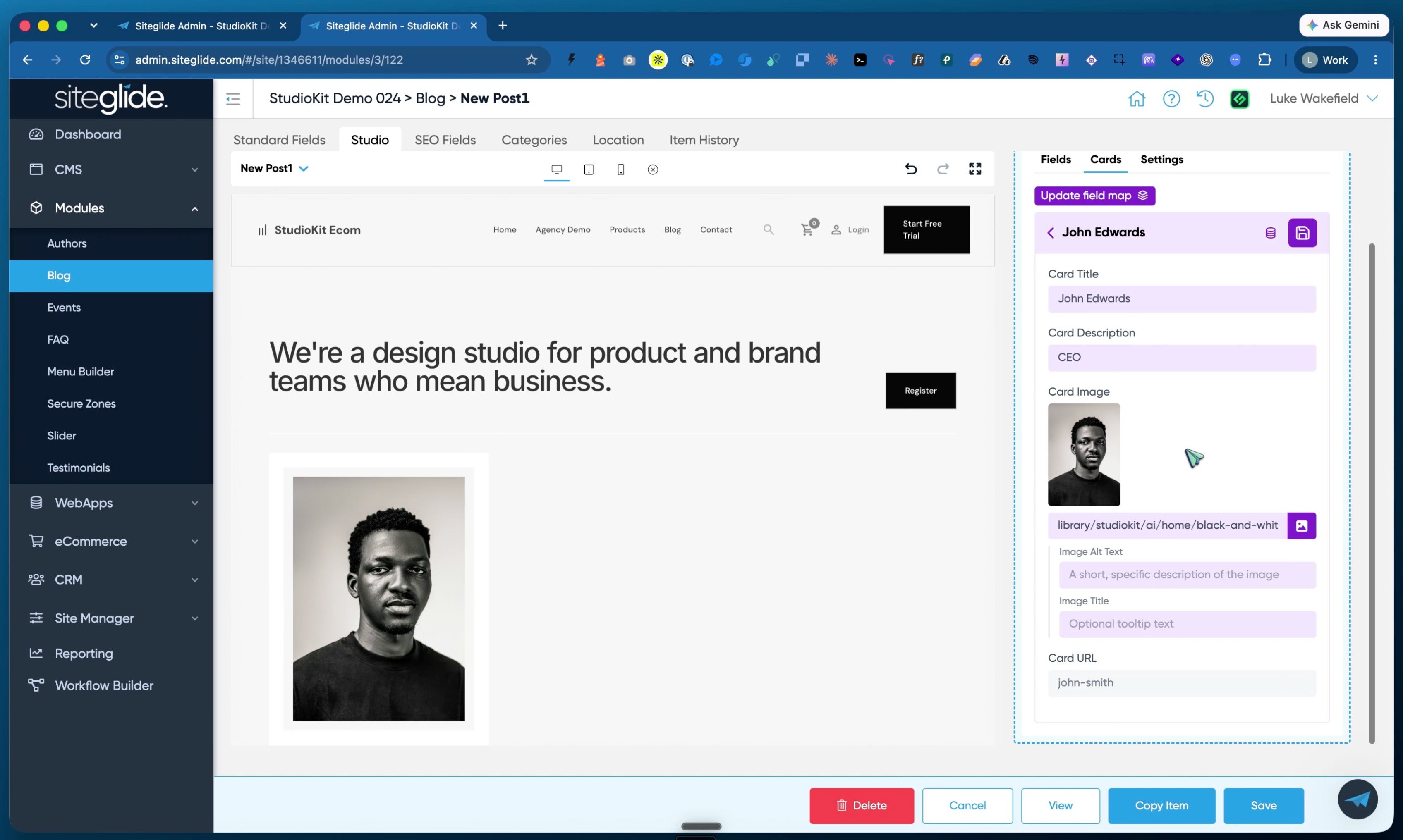
The final piece for Studio! Until now you could edit Pages, Templates and Detail Layouts in Studio but you couldn’t edit actual items e.g. Blog Posts, WebApp Items. Well now you can!
Not only that you can now customise individual items rather than be forced to the rigid detail layout. There are many good reasons for still sticking with the structured approach but this gives that little bit extra flexibility that sometimes is needed.
What you get
A Studio tab on every WebApp and Module item. Design a custom layout for a single blog post, portfolio project, event or any other item, right from the item edit screen in Admin.
Slots for per-item content. Your detail template stays in control of the overall structure, and slots let you drop unique sections into each item. One template, endless variety.
Copy Item copies the layout too. Duplicate an item and its Studio content comes with it, so you can build one great page and reuse it as a starting point.
Edit data where you see it. Lists and sections that pull from your WebApps and Modules let you edit those items directly in Studio, without jumping back to Admin.
Why it matters
Your content stays structured and reusable in WebApps and Modules, and your clients still get a page builder experience for each item. Case studies, landing-style blog posts and rich product stories no longer need a separate page.
Getting started
Update the Studio module to v2.18 from the Marketplace. The Studio tab appears on items once your detail page is set up for Studio. eCommerce Products and Categories aren't included yet; both are in QC but a little more complex so we want to get them right.