9th March 2026: Studio v1.14.0 - Usability Improvements
It’s hard to give this release a more unique name because it includes 15 updates!
Watch the video to see each feature in action or read about them below (with links to the feature request in the titles).
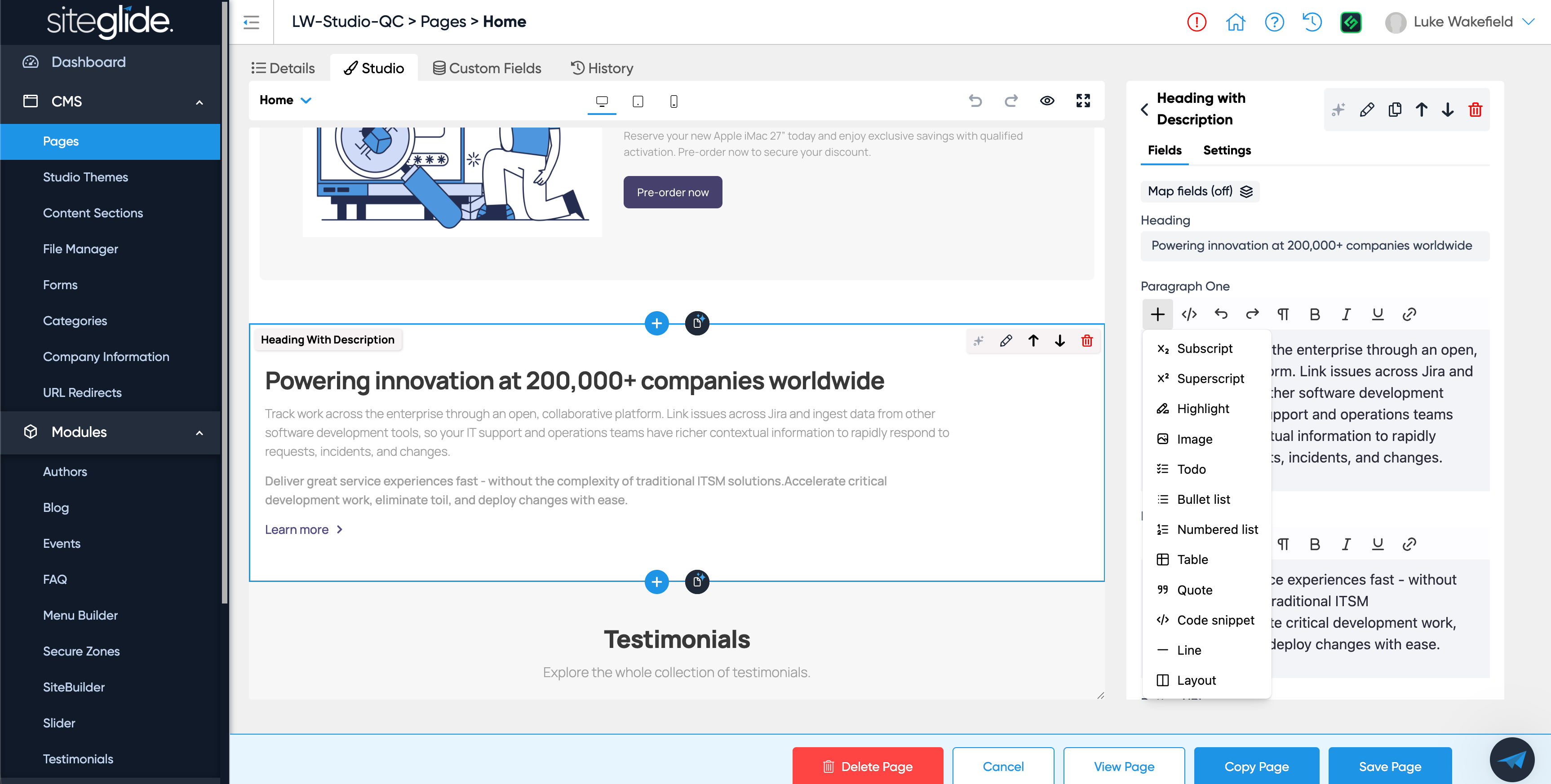
Rich Text Field - Add quick-win buttons
We’ve added many of the formatting options found in other Rich Text Editors (RTEs) used across Siteglide including: Links, Paragraphs, Bullet Points and Tables.
Note: Theme developers will need to ensure you have the necessary CSS setup for the formatting to apply (we will ensure this is done for all Themes we offer).
Add field input for the new field types
We recently created more Studio field types and have added support for them in Studio including:
Date and Date / Time Fields
File Field
Radio Field
Checkbox Field
Using Company Information as a datasource in Studio
Company Information is now a datasource option in Studio Fields which is very useful and helps avoid having to manually update company details across a site.
Studio - Allow Global Fields to be added to lists
You can now use Global Fields in Lists (previously only in Fields).
Opening a section on the right also selects it on the left and scrolls to it
In a previous version we added a really useful UX improvement where if you click into a Section from the Preview it would open that Section on the right hand side.
Now if you click a Section on the right hand side it’ll scroll to that Section in the Preview and select it.
Make the Tailwind Play CDN Version for Studio upgradeable from a setting
There’s now a dropdown setting in the Theme where you can choose the Tailwind version (e.g. v4).
Improve Table view for Sections List in Themes
It’s now easier to find Sections in the Section List of Themes with the filter by category and sort by colums.
Disable Siteglide bottom blue bar buttons on Section modals
If a Modal is open the blue Siteglide buttons will be disabled so that it’s clear you need to interact with the Modal itself (e.g. Save or close the Modal not the Page).
Section Builder Monaco Code Editor Improvements
Section Builder/Editor now has Autocompletions to help speed up writing code as part of the Monaco Editor.
We’ve also squashed some bugs and improved UX to make Studio quicker and easier to use.